
Home Internet Continuity & WFH Outage Guide: UPS Battery Sizing & Dual-WAN Failover
Keep remote work running through grid blackouts and ISP fiber cuts. Learn exact router and ONT wattage math for UPS runtime, cellular 5G/LTE dual-WAN failover routers, and when ISP outages warrant FCC/SLA credits.
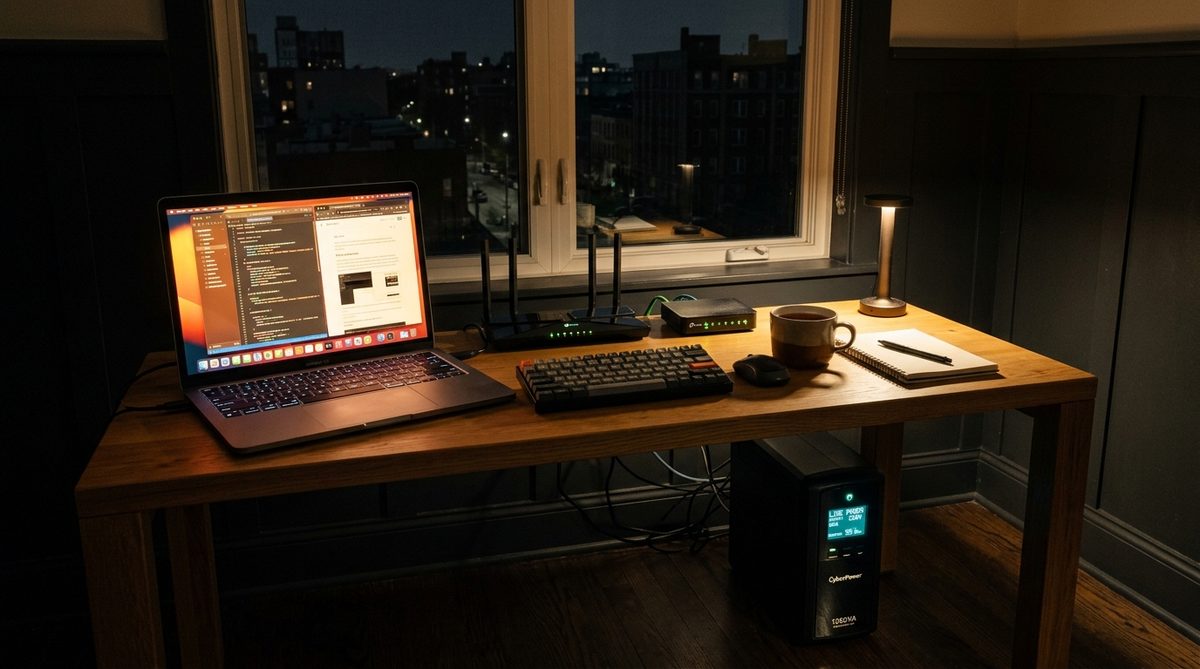
For millions of remote software engineers, telehealth clinicians, financial analysts, and online students across the United States, losing home internet mid-shift creates an immediate operational crisis. Yet the majority of residential internet disruptions during local grid flickers or neighborhood blackouts are completely preventable for under $150: your ISP's buried fiber optic line often stays live inside the wall, while your Wi-Fi router and modem simply lose 120V AC wall power.
Building a resilient home-office network requires distinguishing between a local residential power drop (solved with proper Uninterruptible Power Supply or DC LiFePO4 battery sizing) and a true upstream ISP service outage such as a cut fiber trunk or unpowered street amplifier node (solved with automatic Dual-WAN cellular failover).
Step 1: Will Your ISP Signal Stay Live When Household Power Dies?
Whether backing up your modem with a battery keeps internet flowing depends on your physical last-mile broadband architecture:
- Fiber-to-the-Home (FTTH — AT&T Fiber, Verizon Fios, Google Fiber, Frontier): Best blackout survivability. Passive Optical Networks (PON) use unpowered optical glass splitters between the neighborhood curb and the ISP's Central Office (CO). Because Central Offices run multi-day commercial diesel backup generators, your fiber signal usually keeps pulsing nonstop—as long as your home Optical Network Terminal (ONT) and Wi-Fi router receive battery backup.
- Coaxial Cable (HFC — Xfinity, Spectrum, Cox, Optimum): Coaxial street distribution relies on powered outdoor RF line amplifiers and optical nodes mounted on utility poles or street pedestals. Most cable providers install 2- to 8-hour sealed battery packs inside major neighborhood nodes; once those batteries drain during an extended grid blackout, cable internet drops until utility power returns or crews deploy portable node generators.
- Fixed Wireless & Satellite (T-Mobile/Verizon 5G Home, Starlink): Local tower backhaul survivability varies (see Why Cell Towers Fail During Major Blackouts), whereas low-Earth-orbit dishes (Starlink) bypass local utility grids entirely if powered via battery—though dish snow-melt heating pulls 45W to 100W continuously.
Step 2: Exact UPS Sizing Math for Modems, ONTs & Routers
Most homeowners grab a budget computer Uninterruptible Power Supply (UPS) and plug in not only their router, but also desktop monitors, desk lamps, and printers—draining the internal sealed lead-acid battery in 12 minutes flat. Worse yet, standard retail UPS boxes advertise VA (Volt-Amps) rather than usable Watt-Hours (Wh) of stored energy.
Fortunately, networking hardware sips remarkably little power: a modern fiber ONT draws roughly 8W to 15W, and a standalone Wi-Fi 6/6E router draws 10W to 22W (total continuous load of ~20W to 35W). Use the benchmark runtime table below—remembering that standard AC UPS inverters lose 20% to 35% of battery capacity purely keeping the AC inverter energized (idle tare loss), whereas compact LiFePO4 power stations with native 12V DC ports or dedicated mini-DC router UPS units double effective runtime:
| Backup Unit Tier | Usable Energy | Router + ONT (~25W AC) | Notes for WFH Reliability |
|---|---|---|---|
| Dedicated 12V Mini Router UPS | ~30 to 45 Wh | 2 to 3 hours (no AC loss) | Zero switchover drop; silent; bypasses inefficient 120V AC inverter |
| Standard 600VA / 330W AC UPS | ~80 Wh (lead-acid) | 1.5 to 2.2 hours | Instantaneous transfer (<10 ms), mute the loud audible alarm beep |
| Pro 1500VA / 900W AC UPS | ~216 Wh (dual battery) | 4.5 to 6 hours | Handles PoE switches, NAS drives, and dual-ISP gateways cleanly |
| 300Wh–512Wh LiFePO4 Station (EPS) | 260 to 450 Wh | 8 to 16+ hours | Verify <15 ms EPS switchover or feed router via regulated 12V/USB-C PD |
Crucial Pro Tip: If your ONT sits inside a bedroom closet and your primary Wi-Fi router sits in a hallway, both devices need battery backup. Never leave mesh satellite pucks on dead outlets either—or connect your main work desk directly via Ethernet to the primary UPS-backed router.
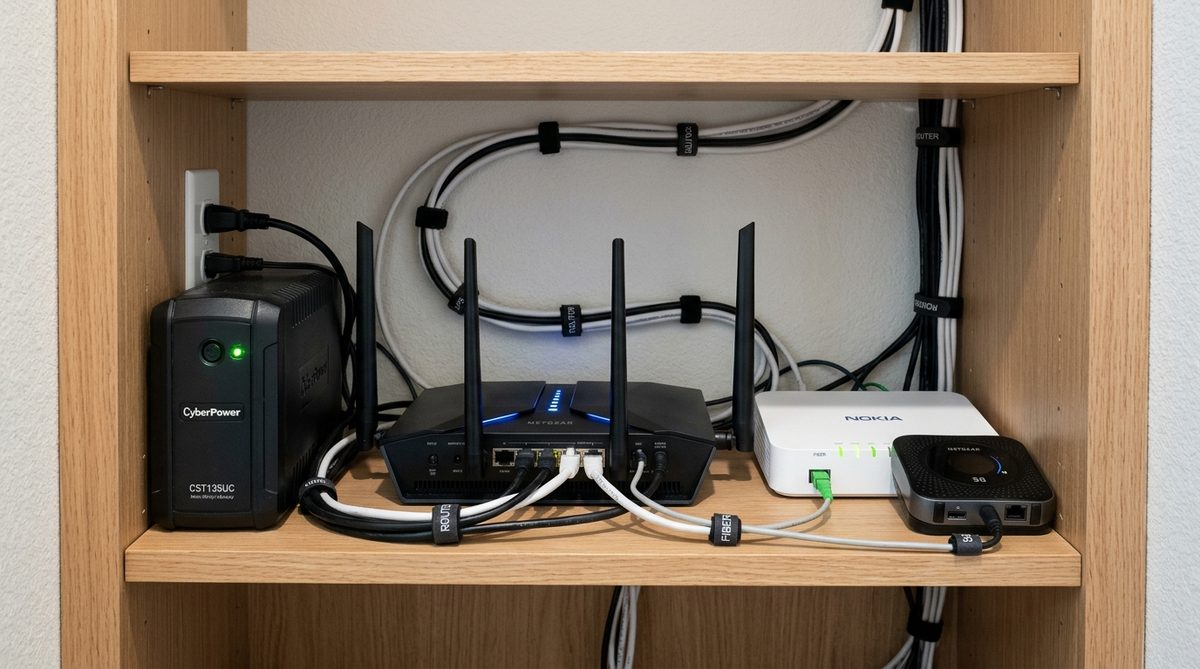
Step 3: Dual-WAN Cellular Failover When the ISP Line Drops
Battery backup alone cannot fix an underground backhoe fiber cut, a regional BGP routing crash, or an ISP node blackout (see Underground Fiber Cable Cuts & ISP Restoration Cycles). Remote professionals who lose billable hours or risk compliance downtime benefit enormously from an active-passive Dual-WAN failover architecture:
- Carrier Diversity Is Non-Negotiable: Never rely on a secondary connection that rides the same physical ISP fiber backhaul. If your home broadband is AT&T Fiber, pair it with T-Mobile 5G or Verizon LTE/5G—not an AT&T cellular hotspot tied to the exact same damaged local CO.
- True Automatic Failover Routers: Prosumer routers (such as Ubiquiti UniFi Cloud Gateways, Asus Dual-WAN routers, Peplink Balance/BR1, or GL.iNet travel routers with USB smartphone tethering) constantly ping upstream DNS targets (like `1.1.1.1` or `8.8.8.8`) every few seconds. When WAN1 fails 3 consecutive health checks, traffic seamlessly shifts to WAN2 within 5 to 15 seconds—keeping corporate VPN tunnels and Slack/Zoom rooms connected with minimal packet loss.
- Test Real Upload Bandwidth & Latency Early: Cellular backups sometimes fail silently due to symmetric upload bottlenecks during video calls. Run our Live Broadband Speed & Latency Test on your failover connection today so you know whether it delivers the minimum 5 Mbps upload and <80 ms jitter required for smooth screen-sharing before an emergency hits.
Step 4: Emergency Bandwidth Discipline & Claiming ISP Outage Credits
When switched onto a capped mobile hotspot or 5G backup plan during an all-day outage, disable background bandwidth hogs across household devices immediately: turn off Windows Update peer delivery, pause iCloud/Google Drive large photo syncs, and drop non-work streaming devices down from 4K UHD (~25 Mbps) to 720p (~3 Mbps) or turn off guest Wi-Fi SSIDs.
Finally, do not absorb unscheduled broadband downtime quietly. Most major US ISPs omit automatic downtime refunds unless customers actively file outage ticket claims with verified start and end timestamps. Log your disruption timeline on OutageUSA, review federal and SLA rules in our FCC Internet Outage Compensation Rules Guide, and generate an itemized carrier refund demand in seconds with our Utility & ISP Dispute Letter Generator.
Alert Neighbors & Share Incident Status
Help your local community stay informed about this active utility interruption.
Reviewed against National Electrical Code (NEC), Federal Communications Commission (FCC) Part 4 directives, and Public Utility Commission statutory reliability standards.